I love hardware, and I love peripherals most of all. I care more about my keyboard and mouse than about the computer itself, because they are what I interact with all day. I enjoy the feel of a good switch, the weight of a mouse in my hand and the glow of a keyboard in a dark room.
I especially love low profile mechanical keyboards. They have the crisp feel of real switches, but the keys sit low and flat, so my hands stay relaxed. For years my desk was ruled by Sharkoon. I have a low profile Sharkoon TKL keyboard with Kailh red switches that goes for about 60 euro and a Sharkoon Shark Force II mouse that goes for about 15 euro, and I was very happy with both. They do exactly what I ask of them for very little money, and they do not rely on any software: you set the lighting on the device itself and it just stays that way, on any operating system. I never thought I would want to find a replacement for them.
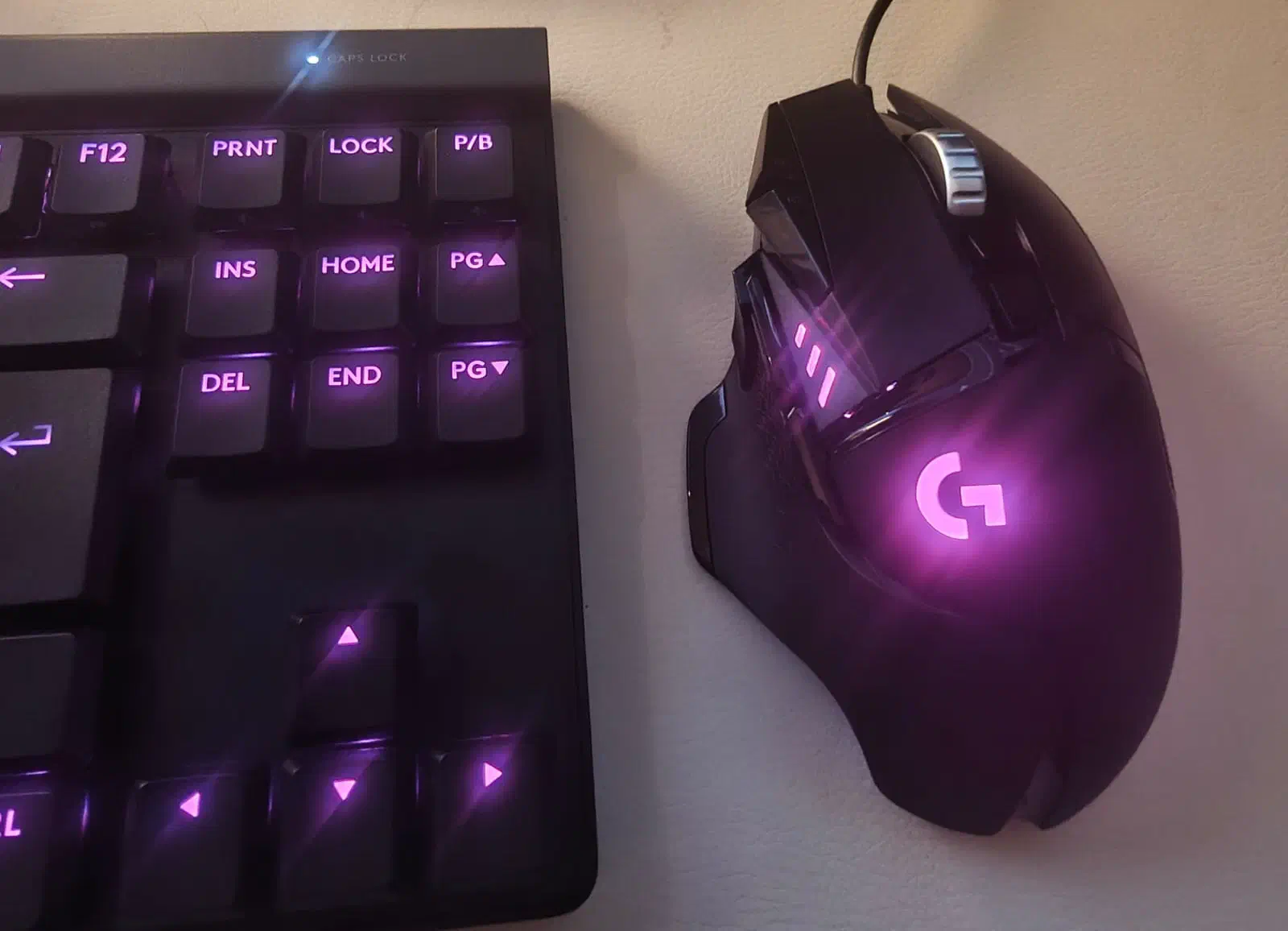
Still, I recently swam over to Logitech and started using a G515 TKL keyboard and a G502 HERO mouse on my Debian and Linux Mint machines. They cost quite a bit more than my sharks, and I have to admit that they come quite close to replacing them. Both are great devices, but unlike the sharks they come with RGB lighting that Logitech wants you to configure with G HUB, and G HUB does not run on Linux. Claude, the documentation of Logitech and other open source implementations helped me overcome this software problem. Instead of installing a set of tools that each support part of my hardware, I wrote a small tool with Claude that sets the lighting of both devices: logirgb.
The G515 TKL keyboard
The G515 TKL is a low profile mechanical keyboard without a numeric keypad. I
use the wired version (USB ID 046d:c358). There is also a more expensive
LIGHTSPEED version that works wireless, but I see little benefit in it for a
keyboard that stays on my desk. The keyboard has per key RGB lighting and a
firmware that can dim the lighting after a while and switch it off when you are
away.
I wanted a single calm color that dims when I am not typing, and I wanted that to work after a reboot without any software running.
The G502 HERO mouse
The G502 HERO (mine is the G502 SE HERO, USB ID 046d:c08b) is a wired gaming
mouse with a lot of buttons, a heavy scroll wheel and a sensor that goes from
100 to 25600 DPI. It has two lighting zones: the G logo on the palm rest and the
DPI indicator LEDs on the side. Those DPI LEDs only light up for a moment when
you press a DPI button. The mouse stores five onboard profiles, and each profile
has its own lighting, DPI levels and report rate. You switch profiles with the
button behind the scroll wheel.
I wanted the logo to show one color, and I wanted it to stay that color when I switch profiles or replug the mouse.
Why another tool?
On Linux there are several projects that can talk to Logitech devices. Solaar is great for wireless devices on a Unifying or LIGHTSPEED receiver, libratbag (with the Piper GUI) handles mice, OpenRGB tries to control all RGB hardware in your machine and g810-led supports older Logitech keyboards. None of them covered both of my devices in the way I wanted. The G515 uses the newer 0x8071 lighting feature and stores its settings with the 0x8101 profile management feature, which most tools did not support for this keyboard. Most tools also control the lighting from the host, which means a process has to keep running and the keyboard does not dim by itself.
What logirgb does
logirgb is written in Go and talks the HID++ 2.0 protocol directly over
/dev/hidraw. It does not need G HUB, Solaar, OpenRGB or libusb. It finds the
devices by scanning /sys/class/hidraw for Logitech nodes that declare the
HID++ long report. You install it with:
go install github.com/mevdschee/logirgb/cmd/logirgb@latest
The hidraw nodes are usually only accessible to root. logirgb checks this when it starts and prints the commands to fix it. It can also print a udev rule that gives the logged in user access to Logitech hidraw devices:
logirgb udev-rule | sudo tee /etc/udev/rules.d/70-logirgb.rules >/dev/null
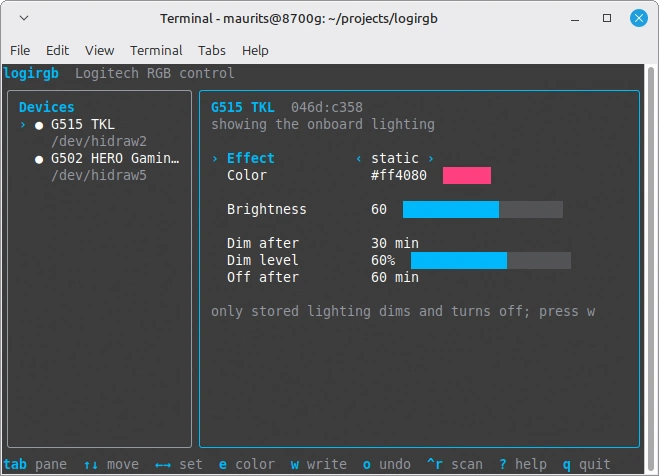
When you run logirgb without arguments you get a terminal UI. On the left you
pick a device and on the right you change the effect, the colors, the brightness
and the timeouts. Changes are applied immediately, so you can try colors with
the arrow keys. There is also a CLI for scripts:
logirgb list
logirgb set static --color orange
logirgb set -d g515 breathe --color blue --period 3000
logirgb timeouts -d g515 --idle 60 --sleep 300 --dim 50
logirgb save
The supported effects are off, static, pulse, breathe, cycle, wave, ripple and
starlight, and logirgb list shows which effects each zone supports.
Storing the lighting in the device
The most important feature for me is save (or w in the TUI). Changes are
first a live preview in the RAM of the device, and save writes them into the
onboard memory. Before writing, logirgb makes a backup of the onboard memory in
~/.local/share/logirgb/backups/ and every write is verified by reading it
back.
My first version had a small daemon that dimmed the keyboard when I was idle.
While testing I found out that the G515 firmware only dims and switches off its
own onboard lighting. As soon as the host takes control of the lighting, the
firmware stops dimming. So I changed the approach: save now writes the effect,
a dimmed copy of it and the idle and sleep timeouts into the onboard profile of
the keyboard and hands control back to the firmware. The keyboard then dims
after the idle timeout, switches off after the sleep timeout and wakes up on the
next key press. This also works after unplugging the cable, and nothing has to
run on the computer.
The G502 works differently. It re-applies the lighting of the active onboard
profile whenever you switch profiles or replug it, so logirgb writes the
lighting into all five profiles. Each profile can have its own colors. If the
mouse still runs its factory profiles, they are copied to the user profile
sectors with only the LED blocks changed, so DPI, buttons and report rate stay
the same. The TUI also lets you edit the DPI levels and the report rate of each
profile. logirgb reset-profiles -d g502 takes the mouse back to its factory
profiles.
Research notes
Logitech published documents for many of the HID++ 2.0 features, such as 0x8040
(brightness), 0x8070 and 0x8071 (lighting effects), and these were the starting
point for Claude and me. A copy of them is included in the repository. There is
no public documentation for the onboard profile features 0x8100 and 0x8101. For
those Claude read the source code of Solaar, OpenRGB, libratbag and
logitech-g515-onboard, and we tested everything on my own devices. We kept the
notes in the research folder of the repository. They contain a hardware log
with every request and reply I tried, a catalog of the G5xx devices with their
USB IDs and features and notes per HID++ feature. Every claim is marked with
where it comes from: the Logitech spec, my hardware, the source of a tool or
unverified. I hope these notes are useful for people who want to add support for
these devices to other tools.
Library
The protocol code can be used on its own. The hidpp package does the
discovery, the request and response matching and the feature lookup. The
lighting package handles the zones, effects, brightness, idle timers and
storing the lighting in onboard memory:
infos, _ := hidpp.Discover()
dev, _ := hidpp.Open(infos[0])
defer dev.Close()

ctl, _ := lighting.New(dev)
ctl.Claim()
ctl.SetEffect(0, lighting.Effect{Name: "static", Values: map[lighting.Param]int{lighting.ParamColor: 0xff8000}})
Other devices
I tested logirgb on the G515 TKL and the G502 HERO, as those are the devices I own. Other devices that expose the 0x8070 or 0x8071 lighting features should work too, such as the G502 Proteus Spectrum, the G502 X PLUS or the G513. If you own one of these and it works (or it does not), please open an issue on GitHub.
Enjoy!