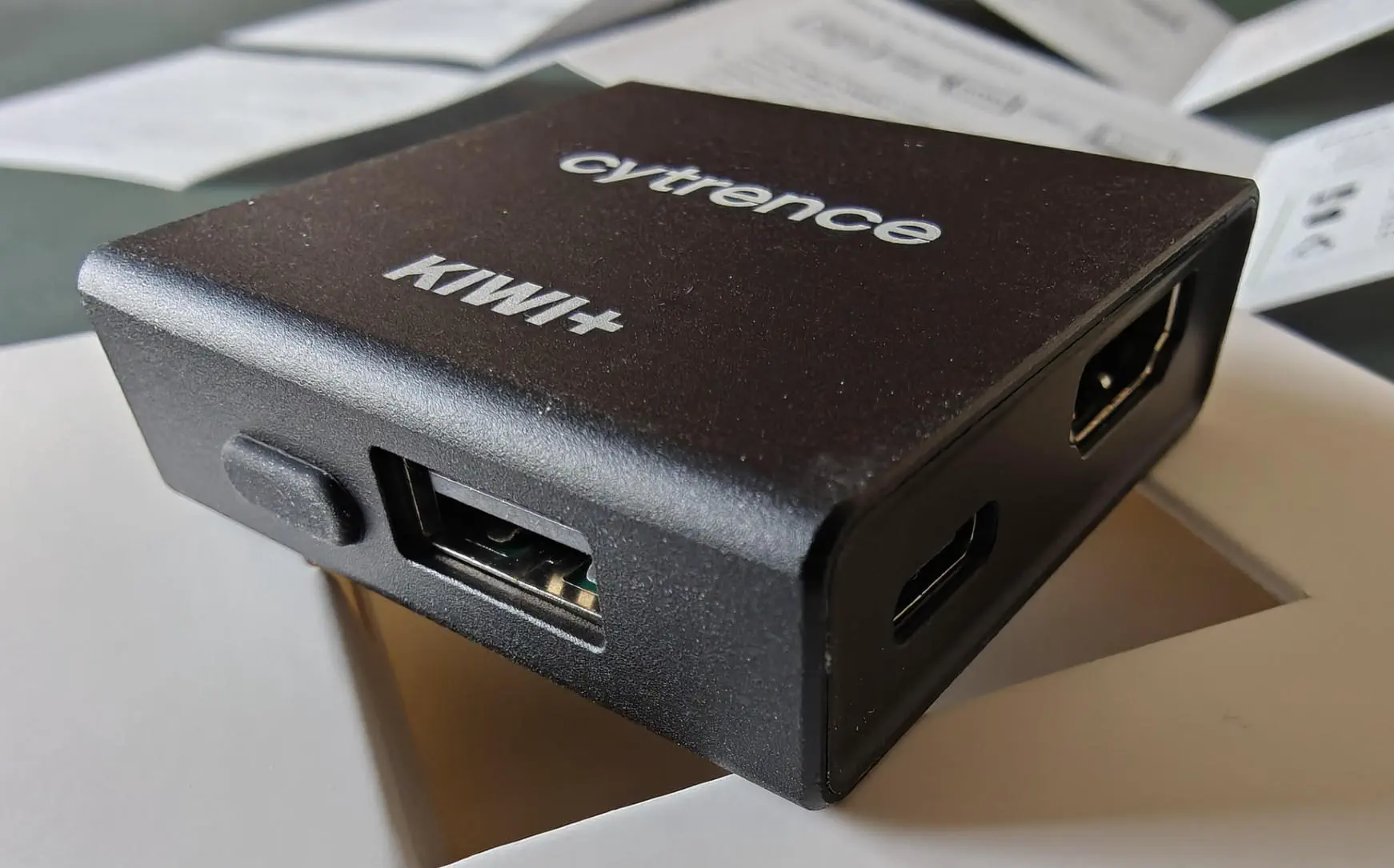
I recently evaluated the Cytrence Kiwi Plus, a USB KVM solution that enables remote access to machines via HDMI and USB. The product was provided for free for evaluation. It retails for around 100 dollars. In the past 6 weeks, I’ve tested it daily (every evening) with two real-world scenarios: Linux controlling Mac and Linux controlling Windows. In this blog I will share my extensive experience with the product.
It feels just like working on another virtual machine, but this machine is real and on your desk.
Real-world testing: Linux to Mac and Windows
This is where the Cytrence Kiwi Plus truly shines for me. I work primarily on Linux and need occasional access to a Mac or Windows machine. With the Cytrence Kiwi Plus I can work on multiple physical computers at the same time, without having to “switch”. It feels just like working on another virtual machine, but this machine is real and on your desk.
The Cytrence Kiwi Plus is especially valuable for consultants (like me) who spend most of their time working on a secure client’s laptop, using external keyboard, monitor and mouse. In the evenings I still want to be able to alt-tab to the client, but do some (open source) work on my Linux machine instead. The Kiwi Plus allows you to seamlessly toggle control between the client’s laptop and your Linux machine.
The Cytrence Kiwi Plus works exceptionally well in practice. I’ve used it to control a MacBook from my Linux workstation and a Windows laptop from the same Linux machine. The experience has been reliable and responsive. The software reliably detects the connected machine. The experience is seamless, with one caveat that is discussed below.
Video quality: the one compromise
The only real downside I encountered is the video quality. The sharpness filter appears to be configured too aggressively. This creates white artifacts around black letters on gray backgrounds. The issue occurs consistently on both Mac and Windows. You can still read everything clearly, but it is noticeable. Here is a comparison of Cytrence (top) and the actual device (bottom) at 8x amplification:
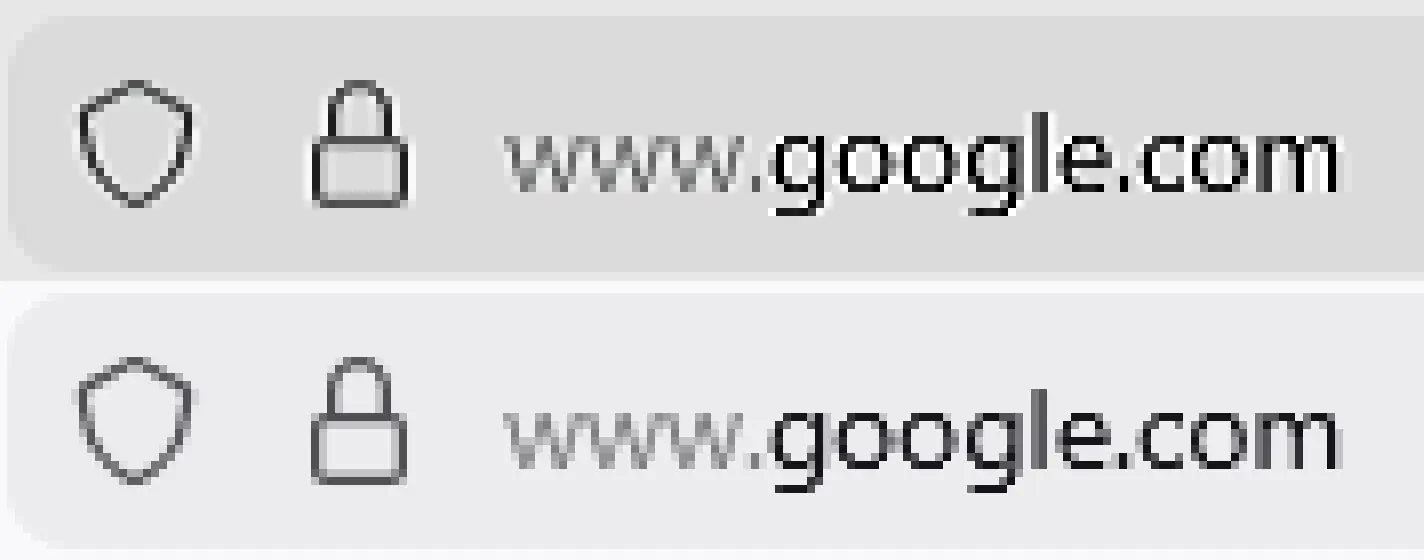
This seems to be a firmware tuning issue rather than a hardware limitation. Although brightness and saturation were adjustable with standard webcam controls (cameractrlsgtk.py), the sharpness was not. I like how the video source presents itself as a webcam, as this makes it easy to use in OBS.
NB: I contacted Cytrence and they might make the sharpness filter optional in a future software update.
Software reliability and the toolbar
The software quality is impressive. The toolbar is clean and intuitive, with a prominent connect button that works reliably every single time. I haven’t experienced any crashes, disconnections, or unreliable behavior from the application. The responsiveness is excellent, with minimal latency when interacting with the remote machine. When you work on an external machine you can really send any keypress (such as Apple/Windows key) by using the keyboard capture mode (release with Ctrl+Alt).
The maximum resolution is Full HD (1920x1080). However, this limitation barely matters if the remote machine isn’t your primary PC. If you’re working with an ultra-wide monitor on your main Linux machine, a Full HD window for the remote system fits comfortably alongside other work. The resolution is perfectly adequate for most tasks.
Build quality and connectivity
The casing is remarkably robust. The solid plastic and metal construction feels like it will last years of regular use. The product arrives with good quality USB cables. The only minor quibble is that the cables are somewhat short. You might want to plan your desk layout accordingly or use extension cables if needed.
The Cytrence Kiwi Plus works reliably on my Linux machine. However, I discovered one caveat: it doesn’t always work when connected through a USB 3 hub. This is worth noting if you have a highly connected desk setup. I was connecting through a busy 10 port USB 3 hub with some USB 2 devices connected. Try to connect directly if you run into trouble.
Compared to the competition
If you are comparing this to the Sipeed NanoKVM-USB (the device I reviewed earlier), I would choose the Cytrence over the Sipeed any day. The software quality is simply in a different league, it feels way more mature. The Sipeed is cheaper and works well for basic KVM tasks, but the Cytrence’s reliable toolbar, responsive interface, and feature completeness make it well worth its slightly higher price.
Conclusion
At its price point, the Cytrence Kiwi Plus is a premium and justified investment for anyone who regularly works across multiple machines. The video quality artifact is the only meaningful limitation, although minor (and may be improved). The software is reliable and responsive. The build quality is excellent. The overall design elegantly solves the multi-machine workflow problem. Whether you’re a consultant juggling client systems, a developer testing across platforms, or simply someone who prefers one Linux workstation with occasional access to Mac or Windows machines, this is a worthy tool.
See: https://www.cytrence.com/kiwiplus