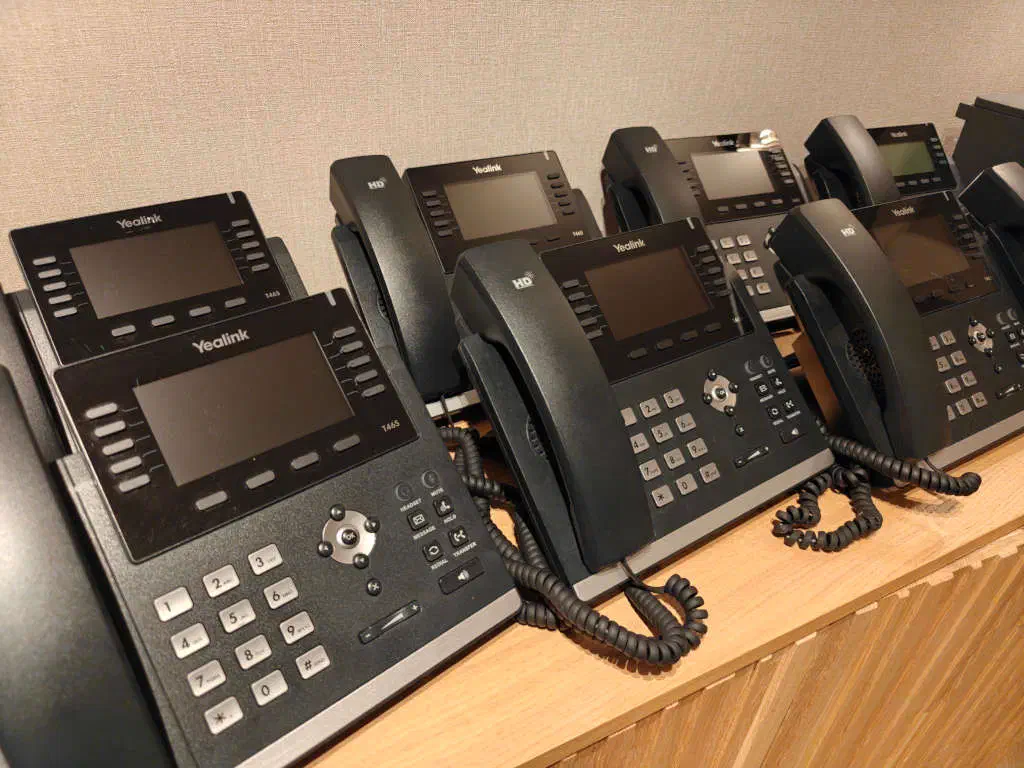
Yealink desk phones are everywhere on the second-hand market. Operators retire them in batches, resellers list them by the pallet, and they show up on Marktplaats and eBay for a fraction of the new price. The catch is that a lot of those phones are still administratively “owned” by the previous operator, even after a factory reset. In this post I will explain how I’ve put my own configuration on a set of phones that I bought, without asking Yealink (or the previous owner’s reseller) for permission. This post explains why that is harder than it sounds, and how multicast SIP PnP lets you do it anyway.
How “zero-touch provisioning” works
A factory-fresh Yealink phone, on first boot, does not just sit there waiting
for a config. It actively goes looking for one. Baked into the firmware are
three things: a unique X.509 device certificate (CN=<MAC>, signed by a Yealink
CA), a hardcoded RPS hostname (dm.yealink.com, acs.yealink.com or
rps.yealink.com depending on firmware generation), and a discovery order that
tells the phone which sources to consult. The phone calls home over HTTPS to the
RPS hostname, presents its device certificate, and the RPS responds with the URL
of the operator’s Device Management Server (DMS). The phone then fetches its
config from that DMS and applies it. From that point on the DMS URL is stored
locally and used directly on every subsequent boot.
About the “RPS lock”
The RPS database is authoritative for which DMS URL a freshly-reset phone gets sent to. The phone validates the RPS server certificate against a Yealink-bundled trust anchor and not against the public-CA store, so even a Let’s Encrypt cert for the right hostname is rejected. The check is enforced in firmware before any user-supplied config is loaded, so you cannot disable it from outside the device. Changing which DMS a given MAC points to requires a Yealink reseller account. In other words, on the public-internet path the lock holds, and a factory reset sends the phone right back to whichever DMS URL the previous owner’s reseller registered.
Why this matters for resold phones
When you buy a used Yealink, the MAC in Yealink’s RPS database may still point
at the old operator’s DMS (dms-tls.kpneen.nl, dms-tls.voipit.nl, and
similar). Out of the box the phone phones home to that DMS, presents its factory
device cert, and most commonly gets back a 404 because the cert is no longer
mapped to an active customer. On rare combinations the phone may even receive a
stale config left over from the previous customer. Either way, the phone is not
provisioning from you, and a factory reset puts it right back in that state.
Without a Yealink reseller relationship you cannot get the registration cleared.
Yealink does not offer a self-service “I bought this phone, release it” flow to
end users.
The escape hatch: multicast SIP PnP
The RPS lock only affects one step of the discovery sequence. The discovery
sequence itself runs first, and on every T4x firmware I have tested (T46S 66.86,
T43U 108.86 and 108.87) PnP runs before RPS in the default discovery order.
A PnP responder on the phone’s local network can hand the phone a provisioning
URL before the phone ever contacts Yealink. The order is configurable via
static.auto_provision.boot_discovery.order and defaults have shifted across
firmware generations, so verify on the firmware revision you actually have
before relying on this.
PnP itself is straightforward. On boot the phone multicasts a SIP SUBSCRIBE
for the ua-profile event to 224.0.1.75:5060. Anything on the same L2 segment
that replies with a NOTIFY carrying a provisioning URL will be obeyed, with no
credentials required, no TLS and no signature on the response body. Whoever
answers the multicast SUBSCRIBE first is believed. This is by design: PnP exists
so enterprise PBX systems (FreePBX, 3CX, FusionPBX, Asterisk) can claim phones
automatically on their own network. From the firmware’s point of view, RPS is
not privileged, it is just further down the list. The trust model is “L2 access
equals ownership”.
Operational gotchas
A few things are worth knowing before you try this:
- Same L2 segment. Multicast does not cross VLANs or subnets without IGMP relay. The PnP responder must be on the same broadcast domain as the phone.
- Host firewall.
ufwandfirewalldwill silently drop the multicastSUBSCRIBEbefore it reaches the listening socket, so the IGMP join succeeds but the packet never gets delivered. Open UDP/5060 inbound from the phone’s subnet, and TCP on whichever port serves the cfg. - PnP may be disabled. PnP fires once per boot when
static.auto_provision.pnp_enable = 1and it is enabled by default and fires before RPS by default. If anyone has setpnp_enable = 0, or changed theboot_discovery.orderthen this tool does not work.
So PnP does not unlock RPS, it routes around it. The lock is still there in firmware, but the discovery order simply renders it unreachable on the firmware revisions tested. For a second-hand T4x with an unknown RPS registration history, this is the most direct way to reclaim the phone without a Yealink reseller relationship.
A small tool: yealink-magician
To make this practical I wrote a small Go orchestrator around the PnP handshake,
called yealink-magician. You point it at the phone’s IP and a .cfg file,
factory-reset the phone, and at next boot the magician answers the multicast
SUBSCRIBE with a NOTIFY pointing at its own embedded HTTP server. The phone
fetches the cfg, applies it, and reboots. Optionally you can pass a .rom
firmware file and the same run will also reflash the phone (with full HTTP Range
support, since the phone pulls the rom in chunks). It filters by source IP, so
two phones resetting at the same time on the same segment do not cross-talk. You
can find the source on my GitHub repository, see:
https://github.com/mevdschee/yealink-magician
Have fun!