I recently upgraded the webcam of my main Linux machine from an Ankerwork C200 (2k webcam) to an Ankerwork C310 (4k webcam). The C200 worked pretty well out of the box without having to update firmware or adjust settings in Windows or on MacOS. Unfortunately the C310 was showing a very overexposed picture that was only fixed by moving my face out of the center of the (captured) image. This led me to believe that some option of the Ankerwork C310 was turned on that should have been turned off.
Software adjustment required
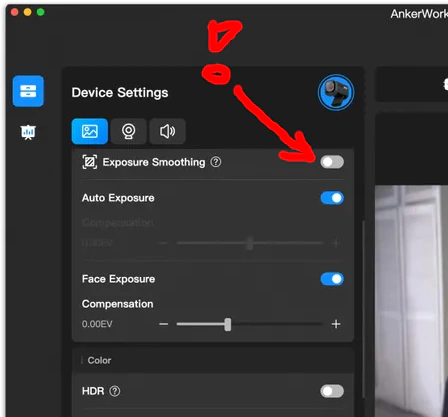
And indeed, when I toggled the “Exposure smoothing” to “Off” on a non-Linux PC and then connected the webcam back to the Linux PC the picture was perfect!
Low-light performance
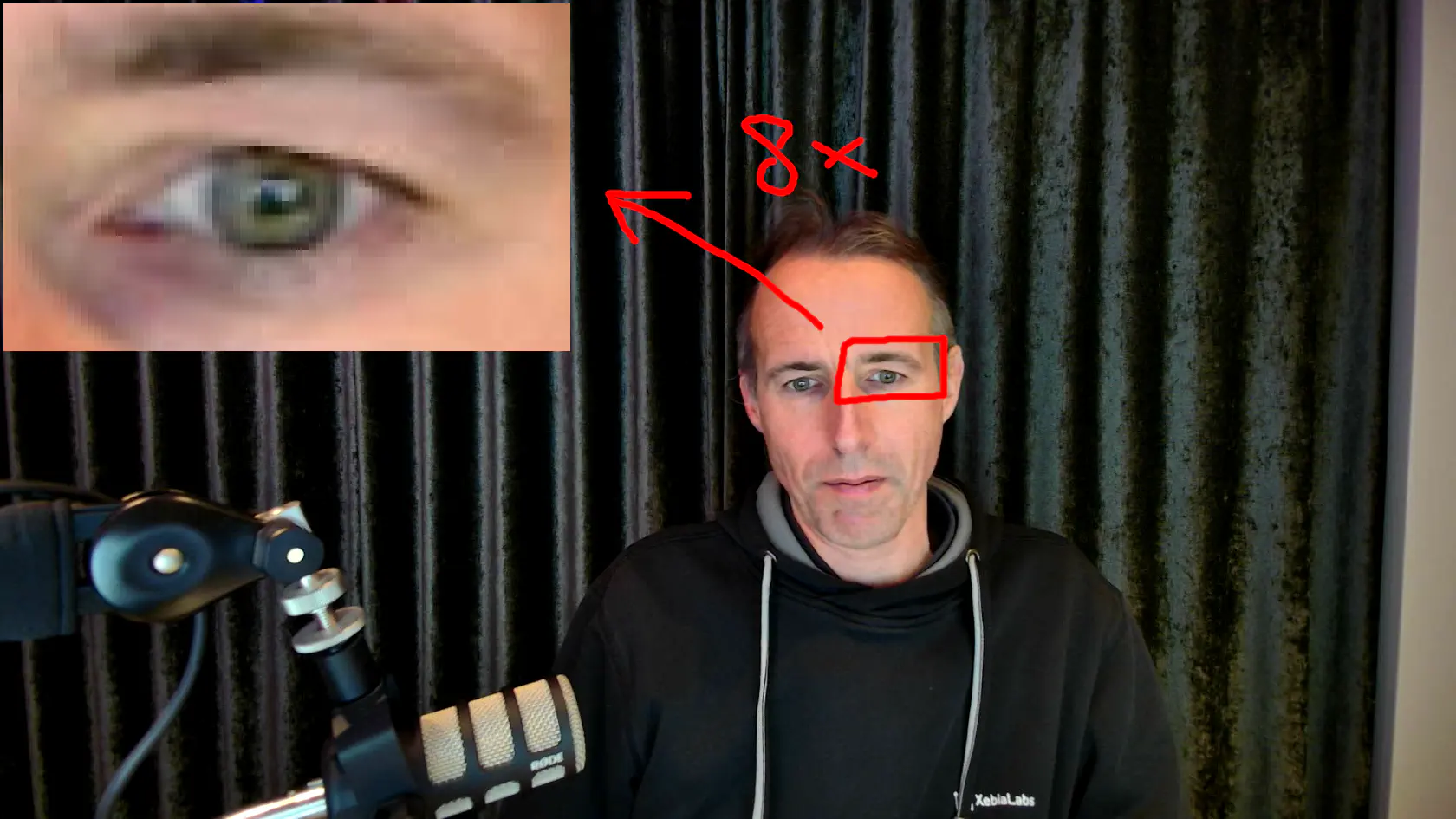
This 4k webcam is quite affordable, while having extremely good low-light performance. I prefer not to bother with lighting at all when doing video conferencing and for that this camera is perfect. There are better cameras available, but I was very happy with my C200 and I’m even more happy with my C310. It has a better sharper image, which is to be expected in a 4k vs 2k model. The only downside I could find is that the device is a little larger than the C200. Great value for the money at EUR 75. Here is a frame from a browser-based video stream in 1920x1080 mode (no configuration, bad lighting):
Conclusion
The AnkerWork C310 is an excellent 4K webcam for Linux users, offering great value at EUR 75. While it requires a quick settings adjustment on another OS to disable “Exposure smoothing”, once configured it delivers sharp images with outstanding low-light performance. If you’re looking for a reliable webcam that doesn’t require additional settings or lighting for video calls, the C310 is a solid upgrade from the already capable C200.